Instructions

Edit project tags

1. Select CMS tab
2. Select “Project Tags CMS List”
3. Select wanted tag and Rename/Edit or Delete the same
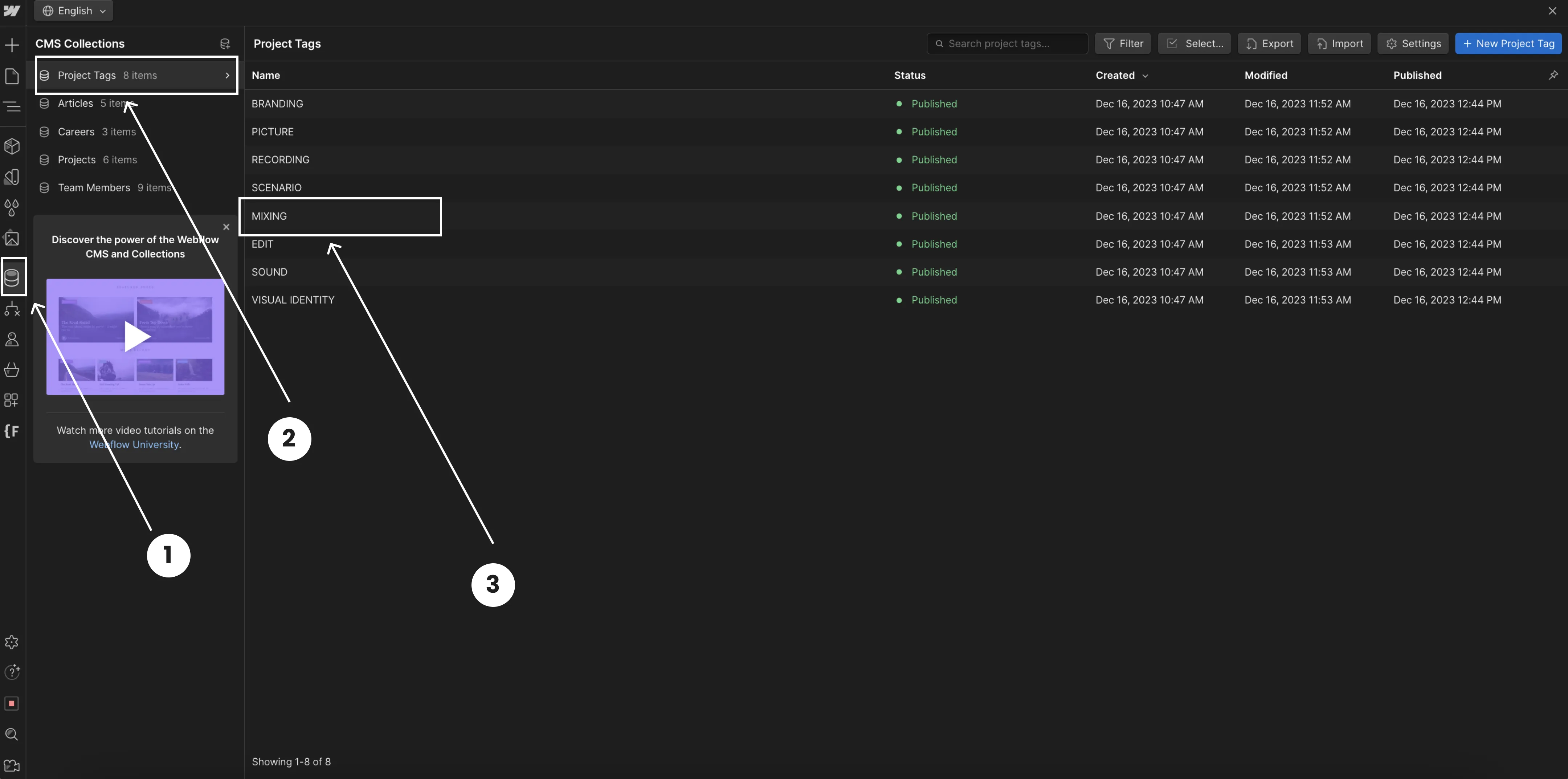
A Webflow CMS Collections interface showing how to manage and edit project details. The image highlights steps for selecting the CMS Collections panel, opening the Projects section, choosing a specific client entry, and editing project tags in the settings panel.

Edit projects

1. Select CMS tab
2. Select “Project CMS List”
3. Select wanted project
4. Go to the “Project tags” and pick wanted project tag
5. Don't forget to save changes
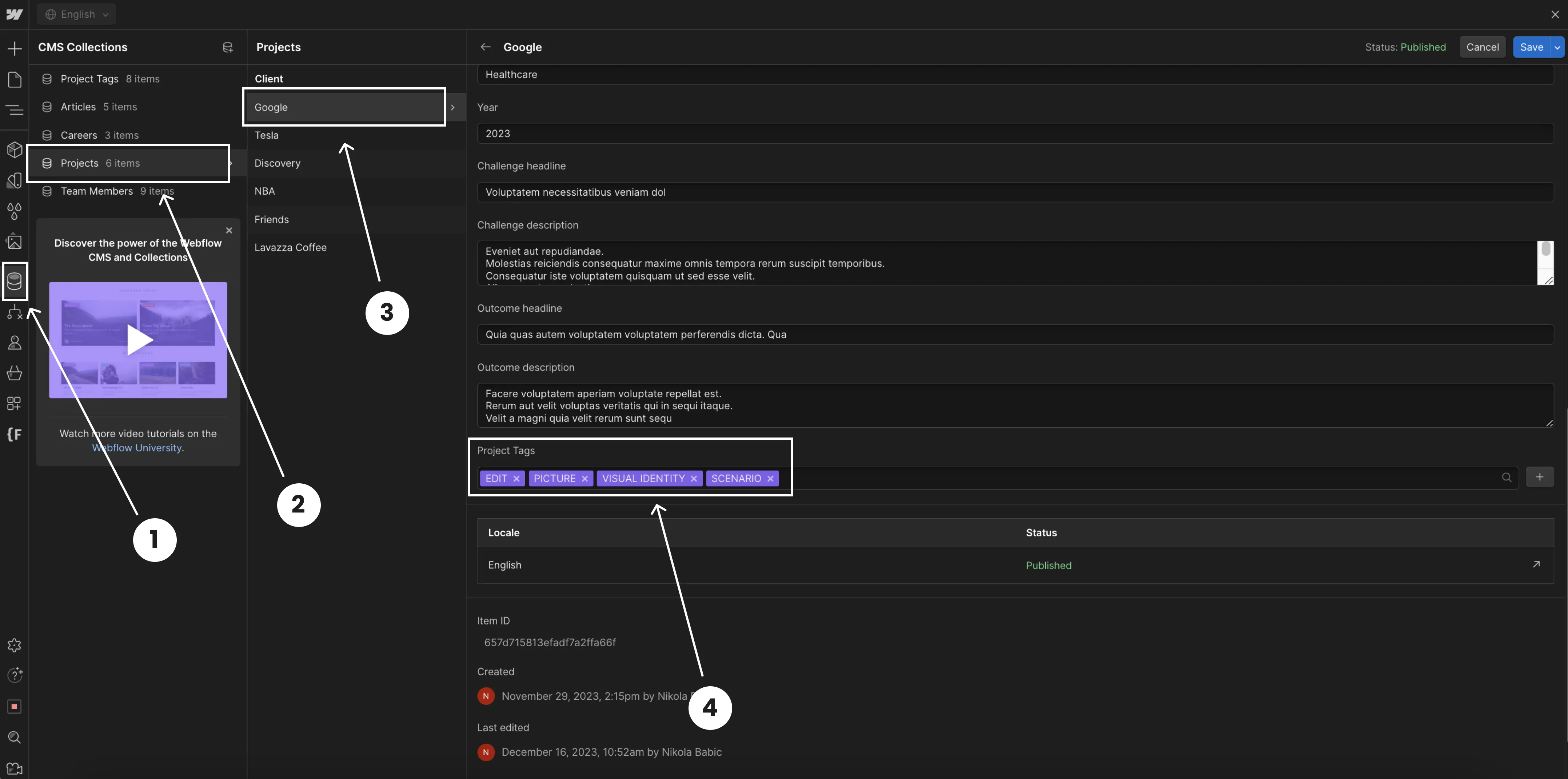
A Webflow CMS Collections interface showing how to manage and edit project details. The image highlights steps for selecting the CMS Collections panel, opening the Projects section, choosing a specific client entry, and editing project tags in the settings panel